
MORE ABOUT THIS TOOL
Convert a Text Description into a Minecraft Build
Imagine a Minecraft building that doesn't exist yet. Describe it in words and let AI turn your idea into a playable Minecraft structure. With Photo2Skin's Text to Minecraft Build Generator, you can create original buildings, unusual architecture and imaginative constructions without drawing a reference or designing every block yourself.
Start with a simple sentence or write a detailed building specification. The AI interprets your instructions and creates a Minecraft model you can inspect, improve and use in your world.
What Should You Write to Generate a Minecraft Build?
You don't need special commands or technical prompt syntax. The most useful descriptions explain what the structure should look like, how it should be arranged and which features are important.
A good Minecraft building prompt can include five elements:
- Subject: What are you building? A lighthouse, underground laboratory, treehouse or something entirely original?
- Architecture: Should it look medieval, futuristic, industrial, Japanese-inspired or abandoned?
- Materials: Mention Minecraft blocks or recognizable materials, such as deepslate, spruce wood, sandstone or copper.
- Layout: Specify floors, entrances, rooms, balconies, towers or other important structural features.
- Setting: Describe the surrounding environment, such as a snowy mountain, desert canyon or dense forest.
Not every prompt needs all five. A short description is enough to get started, while additional details give the AI clearer direction.
Minecraft Building Prompts You Can Actually Use
Instead of writing generic requests like "make a cool house," describe a recognizable design with specific features. Each prompt below describes a real build from our Minecraft builds library, so you can open it and walk inside in 3D to see what that kind of description produces.
Cozy Cabin Prompt
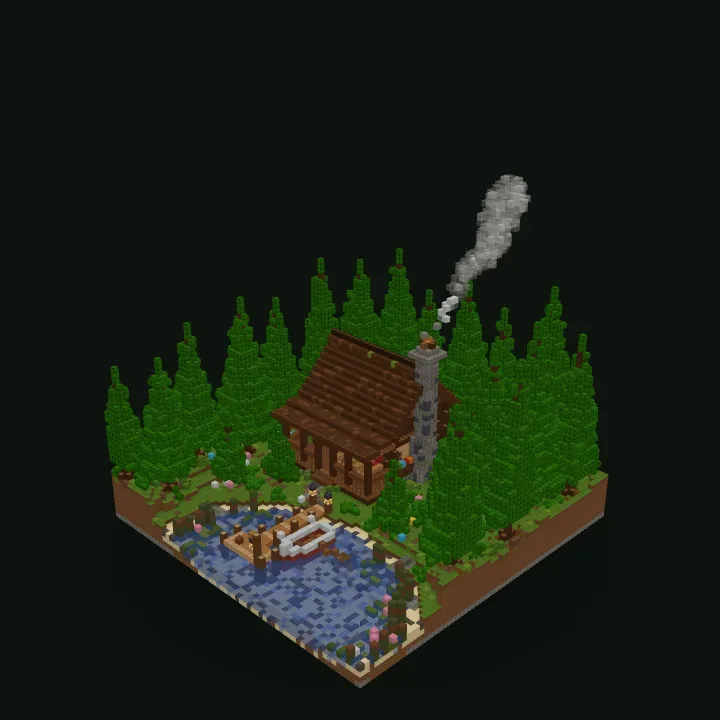
Build a cozy log cabin in a dense spruce forest beside a small, calm lake. Use dark spruce logs and planks with a steep roof, a tall cobblestone chimney with smoke rising from it and a wraparound porch. Add a wooden dock reaching out over the water and a path leading up to the front door.
Japanese-Inspired Shrine Prompt
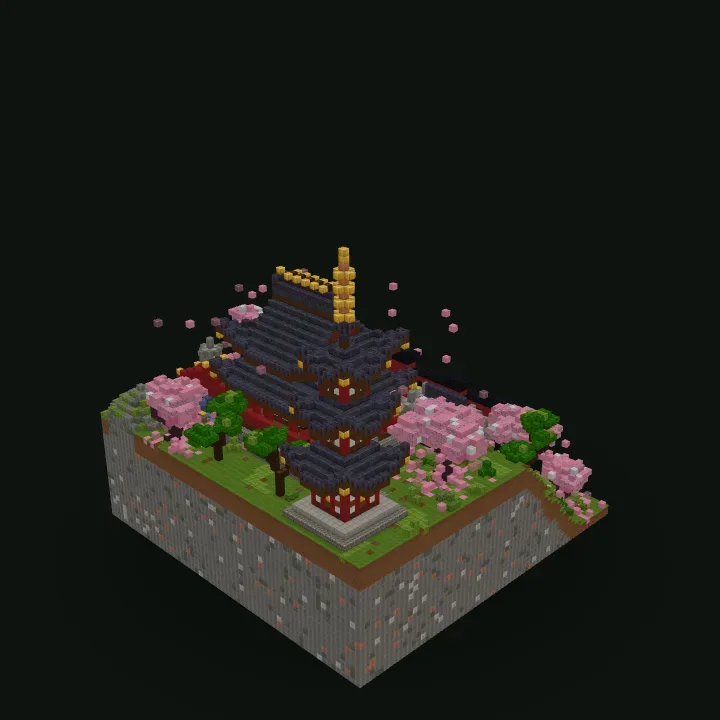
Create a Japanese-inspired mountain shrine on a stone cliff. Build a tall pagoda with stacked dark roofs, red pillars and a golden spire at the top. Surround it with pink cherry blossom trees, and add a red torii gate and a stone stairway leading up to the entrance.
Fantasy Ice Palace Prompt
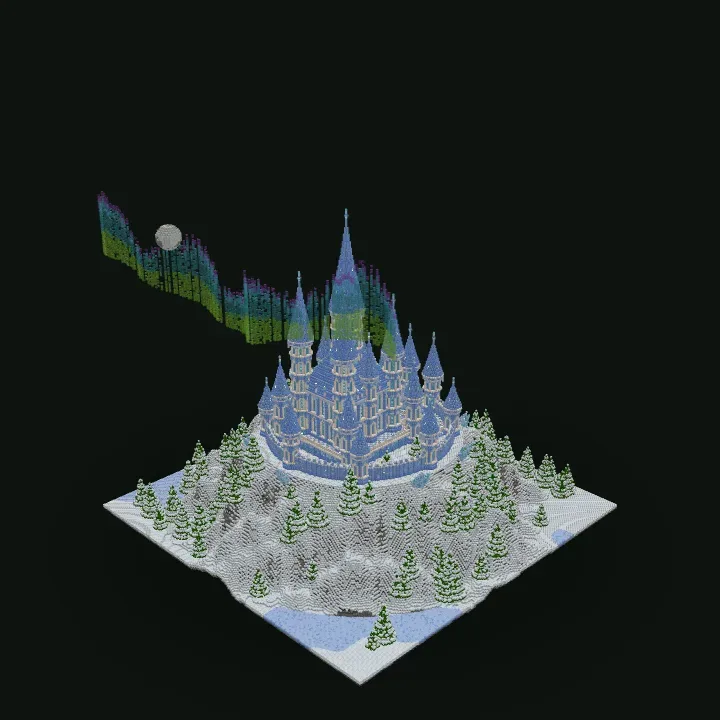
Design a glittering fantasy palace on a snowy mountain peak. Use packed ice and blue ice for the walls, with a ring of tall, pointed spires around a central tower. Surround it with a snow-covered spruce forest and let an aurora glow in the sky behind it.
Dragon Lair Prompt
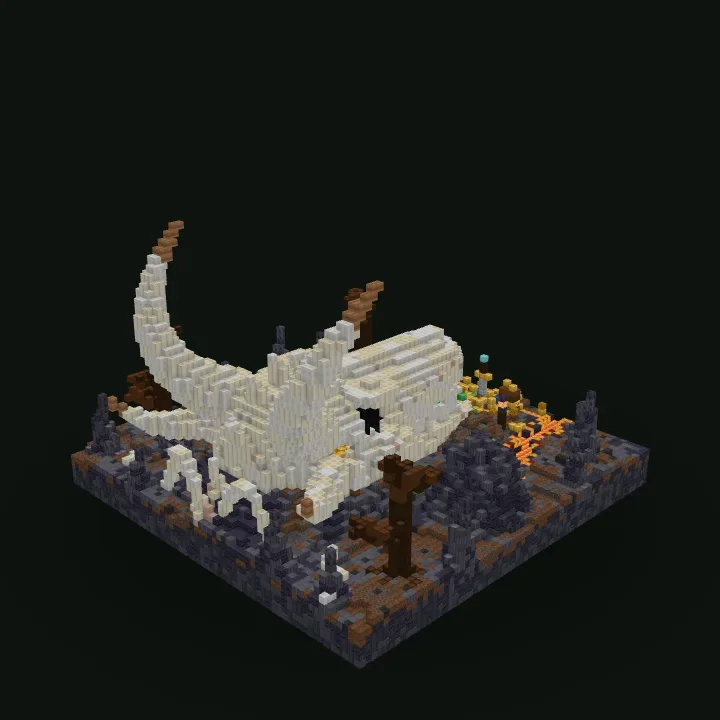
Generate the skull of a giant dragon made from bone blocks, half-buried in dark, rocky ground. Give it long curved horns, hollow eye sockets and an open jaw with a hoard of gold and treasure glowing inside. Scatter rocks and a few dead trees around the lair.
Unusual Creative Build Prompt
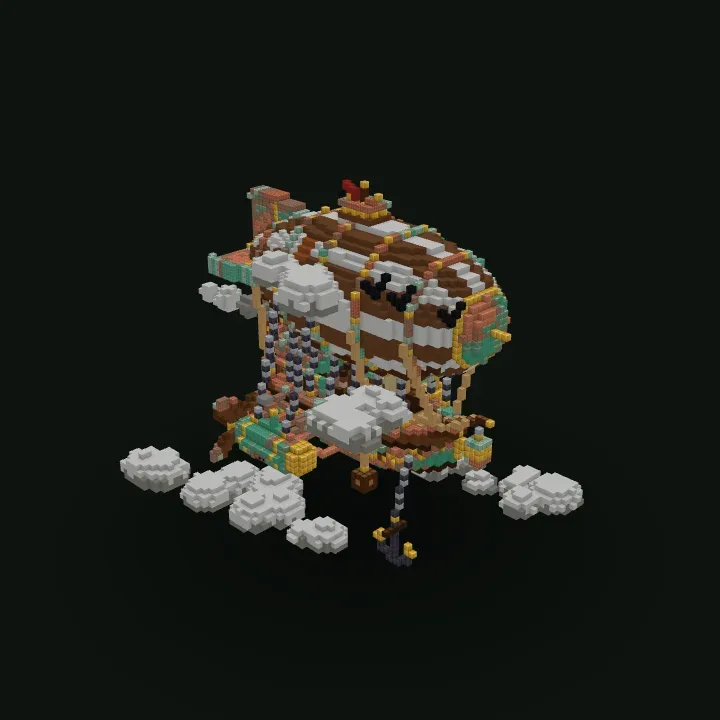
Create a steampunk airship floating among the clouds. Give it a large balloon striped in brown and white, brass and copper trim, propellers at the back and a wooden gondola hanging below on chains, with small cabins and lanterns along the deck.
How Specific Should Your Minecraft AI Prompt Be?
The right amount of detail depends on how much control you want. Compare these three approaches to describing the same project.
| Prompt style | Example | When to use it |
|---|---|---|
| Simple | A medieval blacksmith shop | When you want the AI to make most design decisions. |
| Descriptive | A medieval blacksmith shop with a stone forge, timber walls, chimney and outdoor work area | When you have a clear visual concept but don't need a precise layout. |
| Detailed | A two-story medieval blacksmith shop with a stone forge on the ground floor, upstairs living quarters, an exterior chimney, oak support beams and a fenced storage yard | When particular rooms, features and architectural relationships matter. |
More words aren't automatically better. A clear description with compatible requirements is often more useful than a long list of unrelated features.
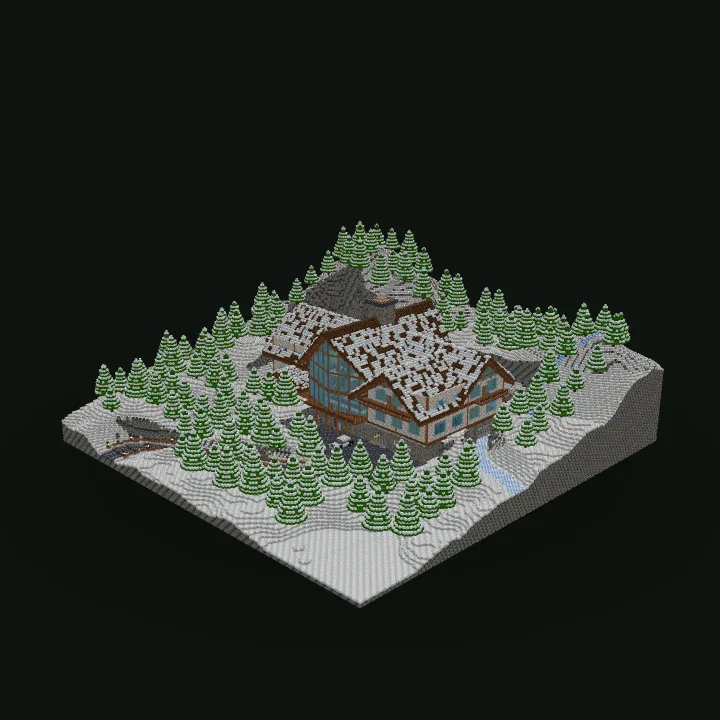
Here is what a detailed prompt looks like in practice. This one, from our library, plans every floor of a large mountain house:
Build a large, asymmetrical 3-level alpine ski mansion on a snowy mountainside. Basement: two-car garage, snowmobile garage, wine cellar, storage and driveway entrance. Ground floor: spacious double-height living room with a massive stone fireplace, kitchen, dining room, bar, gaming room and trophy room. Upper floor: master bedroom, office, library, bedrooms and a mezzanine overlooking the living room. Exterior: wide connected wings, steep intersecting dark-brown roofs at different heights, exposed timber beams, pale stone walls, panoramic windows, wooden balconies, a stone chimney and an elevated rear terrace. Connect all floors with stairs. Surround with snowy spruce forest, rocky slopes, a winding driveway and fences.
Use Minecraft Block Names to Control the Design
One advantage of generating Minecraft builds from text is that you can request familiar in-game materials directly. Instead of asking for "dark walls," you can describe the actual blocks you want to see.
For example:
- Medieval: Stone bricks, cobblestone, spruce logs, dark oak planks and lanterns.
- Modern: White concrete, smooth quartz, glass panes and polished blackstone.
- Desert: Sandstone, cut sandstone, terracotta and acacia wood.
- Industrial: Deepslate bricks, iron bars, copper blocks and chains.
- Fantasy: Amethyst, warped wood, prismarine and decorative lighting.
These are starting points, not strict recipes. Combine materials to create your own style, but keep the palette consistent enough for the building to look intentional.
Describe the Interior, Not Just the Exterior
A prompt that only describes the outside of a building leaves its interior open to interpretation. If you intend to explore or use the structure, explain how its spaces should connect.
For example, instead of "a three-story wizard tower," write:
A three-story wizard tower with a circular entrance room, potion laboratory on the second floor and enchanting library at the top. Connect the floors with an internal staircase. Add narrow windows, bookshelves and a pointed roof.
Useful layout instructions include where the entrance should face, whether rooms need doors, which floors connect by stairs and whether the building should contain accessible interior spaces.
Common Minecraft Prompt Problems and How to Fix Them
| Problem | Better instruction |
|---|---|
| The building looks too generic. | Name a distinctive architectural style and three recognizable features. |
| The structure is missing important rooms. | List the rooms and explain how they should connect. |
| The materials don't match your idea. | Specify a small palette of Minecraft blocks. |
| The design is too crowded. | Prioritize the essential features and remove conflicting requirements. |
| The building feels too small. | Choose a larger generation size and describe the intended scale. |
| The result lacks a focal point. | Identify the main visual feature, such as a central tower or grand entrance. |
Build Better Prompts with AI Assistants
If you have an idea but struggle to describe it, you can use ChatGPT, Claude or another writing assistant to organize your requirements before generating the build.
For example, ask your assistant:
Write a detailed Minecraft building description for a survival-friendly desert fortress. Include architecture, block materials, room layout and exterior features. Keep the design suitable for a medium-sized build.
Review the result, remove anything unnecessary and use the description as your building prompt.
Photo2Skin also supports compatible AI assistant integrations, allowing connected assistants to request builds through the service.
When a Written Description Isn't Enough
Some ideas depend on a very particular silhouette, facade or visual reference. A written prompt may describe the concept correctly without reproducing the appearance you had in mind.
In those cases, use the Image to Minecraft Build Generator to provide a visual reference. You can also combine a picture with written instructions when both appearance and layout matter.
For the complete creation workspace, including build settings, 3D previews, AI revisions, blueprints and Java or Bedrock downloads, open the AI Minecraft Build Generator.
Text to Minecraft Build FAQ
Can I generate a Minecraft building from just one sentence?
+
Yes. A short description can be enough to generate a structure. However, adding architectural details, materials and layout instructions gives the AI more guidance.
Do I need to know Minecraft commands to write prompts?
+
No. Write ordinary descriptions in natural language. You don't need WorldEdit commands, programming knowledge or a special prompt format.
Can I specify exact Minecraft blocks in my prompt?
+
Yes. You can request materials such as spruce planks, deepslate bricks, glass panes or sandstone. The AI interprets these instructions when generating the structure, although exact results can vary.
Can I describe rooms and staircases?
+
Yes. Include the number of floors, room purposes, entrances and connections in your prompt. Be clear about which spaces should be accessible and how they relate to one another.
Can I use prompts written by ChatGPT or Claude?
+
Yes. You can paste a building description written by an AI assistant into the text generator. Review it first to make sure the instructions are clear and appropriate for the intended build size.
Does a longer prompt always produce a better Minecraft build?
+
No. Clarity matters more than length. Conflicting requirements or too many unrelated details can make the intended design harder to interpret.
Can I ask for a specific architectural style?
+
Yes. Describe styles such as medieval, modern, Japanese-inspired, Gothic, industrial or futuristic. Mention recognizable features and materials rather than relying on the style name alone.
Can I reuse and improve an existing building prompt?
+
Yes. Keep your original description, adjust the requirements and generate another result. You can also request changes to an existing generated build instead of starting over.