
MORE ABOUT THIS TOOL
AI Minecraft Texture Pack Generator
Photo2Skin's AI Minecraft Texture Pack Generator repaints Minecraft blocks in any style you describe. Pick the blocks, type a look like "frozen ice kingdom" or add a reference picture, and get new textures in one matching style. Download them as a Java resource pack or a Bedrock .mcpack.
Repaint a single block, a handful of blocks for one build, or a whole starter pack of the blocks you see most. Every texture is new pixel art, made for your request.
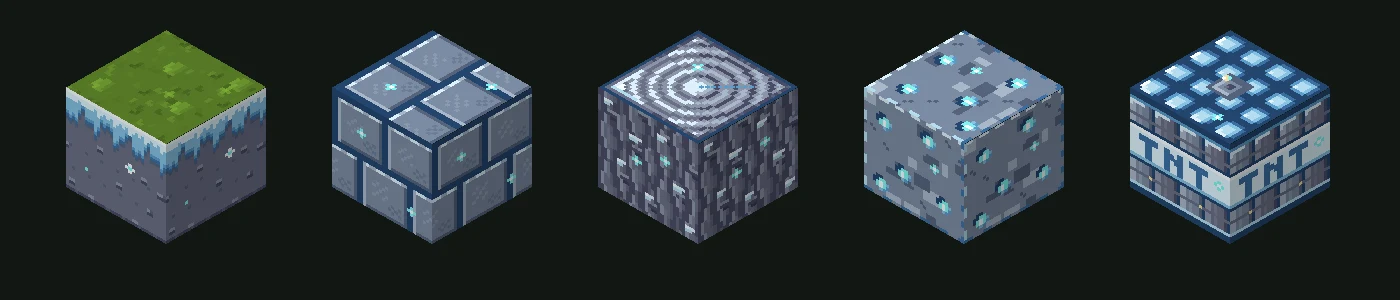
How to Make a Minecraft Texture Pack with AI
- Pick the blocks. Search by name, browse the tabs, or add a ready-made set such as the starter pack, ores or wool in one tap. Up to 45 blocks fit in one pack.
- Describe the style. Type the look you want, attach a picture to take the look from, or use both.
- Paint it. The button shows the price before you start. One block takes a few seconds, a full set about a minute.
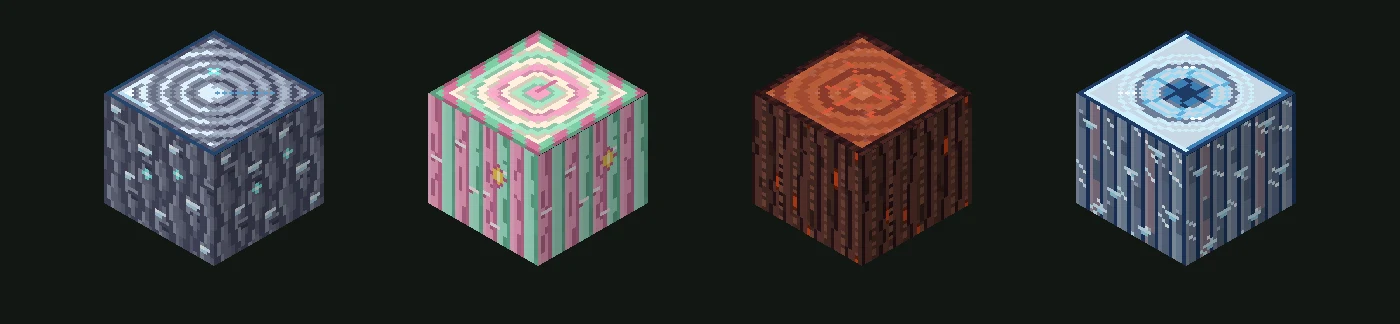
- Look at the result. Each block appears as a 3D cube you can turn and zoom. Tap any block in the strip below it to see it.
- Download and install. Choose Java or Bedrock, then turn the pack on in Minecraft.
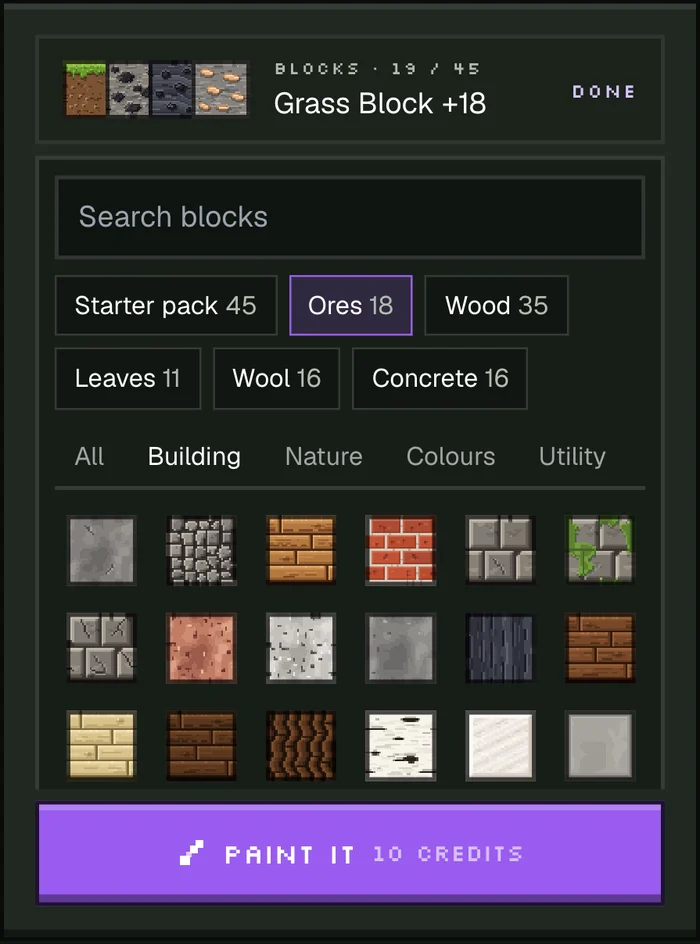
Choose Which Minecraft Blocks to Repaint
The generator covers 320 full blocks: stone and bricks, dirt and sand, every kind of log, planks and leaves, ores and mineral blocks, wool, concrete, terracotta, glass and more. They are grouped like the creative inventory into Building, Nature, Colours and Utility.
Ready-made sets add a whole group at once:
- Starter pack – the 45 blocks you see most in survival, from grass and stone to ores and TNT.
- Ores – every ore, including deepslate and Nether ores.
- Wood – logs, stems and planks of every tree.
- Leaves – every kind of leaves.
- Wool and Concrete – all 16 colours.
A resource pack only replaces the textures it contains, so every block you leave out keeps its usual look. Flowers and other flat plants are not available yet.
Describe a Style or Use a Picture
Describe it in words
Write the look you have in mind, from a theme ("cozy autumn forest", "neon cyberpunk") to materials and colours ("dark stone with glowing purple cracks"). Short descriptions work well; name a mood, a palette or a material, and every block follows it.
Take the look from a picture
Add a photo, a screenshot or a piece of art and the AI takes its colours, mood and materials. The picture is a style reference: you get blocks in its look, not the picture pasted onto a block. You can add words too, to steer it.
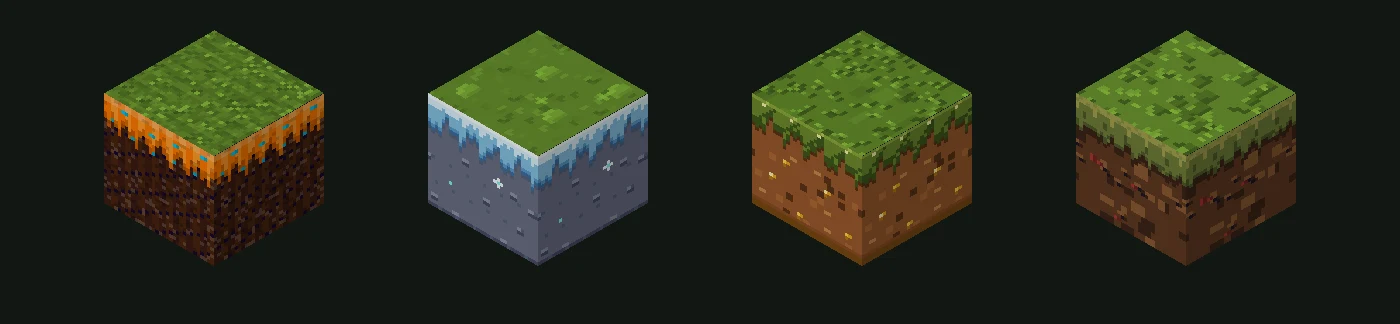
One Matching Style Across the Whole Pack
When you pick more than one block, the AI first writes an art direction for the whole pack: the mood, how materials are drawn and a shared colour palette. Every texture is painted from it, so stone, wood, ores and glass look like they belong together while each block stays easy to tell apart.
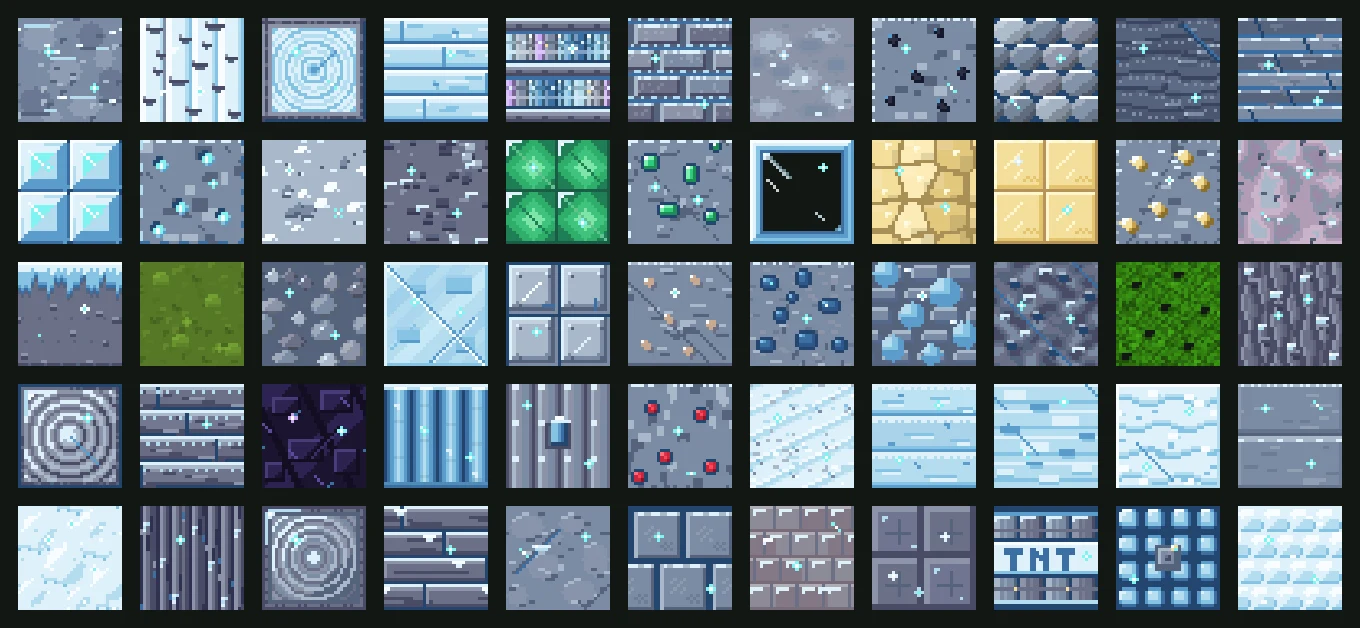
Want a different take on the same block? Run it again with new words: the same log can come out frozen, pastel or dark and gothic.
Download for Minecraft Java or Bedrock
| Download | Edition | How to install |
|---|---|---|
| Resource pack (.zip) | Java | Open Options → Resource Packs → Open Pack Folder, drop the .zip in, then move the pack to Selected. |
| Resource pack (.mcpack) | Bedrock | Open the file and Minecraft imports it. Turn it on in Settings → Global Resources, or in a world's resource packs. |
The Java pack is made for 1.20 and newer. Textures that Minecraft colours by biome, such as grass and leaves, keep that behaviour, so your grass still turns greener in jungles and duller in savannas.
How the Textures Are Made
The AI does not trace or copy existing textures. For each block it writes a small drawing program that paints a 32×32 pixel tile: crisp pixel art lit from the top left, seamless so thousands of copies line up without visible edges, and readable from a distance. The program runs in a sandbox and the result is saved as the texture. Nothing is taken from the vanilla game or from other packs.
Pricing
A pack costs half a credit per texture, with a minimum of 3 credits. Most blocks have one texture; logs, grass and a few others have two or three. One block costs 3 credits and the 45-block starter pack costs 28. The exact price is always on the button before you start, and if a pack cannot be painted, its credits are returned.
Tips for Better Texture Packs
- Name one clear theme or material. "Frozen ice kingdom" gives a more consistent pack than a long list of ideas.
- Mention colours if they matter: "pastel pink and mint" or "black and gold".
- Paint the blocks of one build together, so they share a style.
- Use a picture when a look is hard to put into words, such as a painting or a game screenshot.
- Not quite right? Try again with different words; every run paints new textures.
Want a whole structure instead? Try the AI Minecraft build generator, or make a matching character with the AI Minecraft skin generator.
Texture pack generator FAQ
Can AI make a Minecraft texture pack?
+
Yes. Pick the blocks, describe a style or add a picture, and Photo2Skin paints new textures for them in one style. You can download the result as a working Java or Bedrock resource pack.
Does it work for Java and Bedrock?
+
Yes. Every pack downloads as a Java resource pack (.zip) and as a Bedrock .mcpack, so you can use the same textures on both editions.
How many blocks can I repaint?
+
Any of 320 full blocks, up to 45 in one pack. Make several packs if you want to repaint more.
Can I make a texture pack from a picture?
+
Yes. Add a picture and the AI takes its colours, mood and materials as the style for your blocks. You can add a description as well to steer it.
Are the textures copied from Minecraft or other packs?
+
No. Each texture is new pixel art, painted by a small program the AI writes for your request. Nothing is copied from the vanilla textures or from other resource packs.
What resolution are the textures?
+
32×32 pixels, twice the detail of the default 16×16 textures, in crisp pixel art that tiles seamlessly.
What happens to blocks I don't repaint?
+
They keep their usual look. A resource pack only replaces the textures it contains, so you can repaint just the blocks you want.
Can I repaint flowers, plants or items?
+
Not yet. The generator covers full blocks for now; flowers and other flat plants are planned.
How much does it cost?
+
Half a credit per texture, with a minimum of 3 credits. One block costs 3 credits and the 45-block starter pack costs 28. If a pack cannot be painted, its credits are returned.